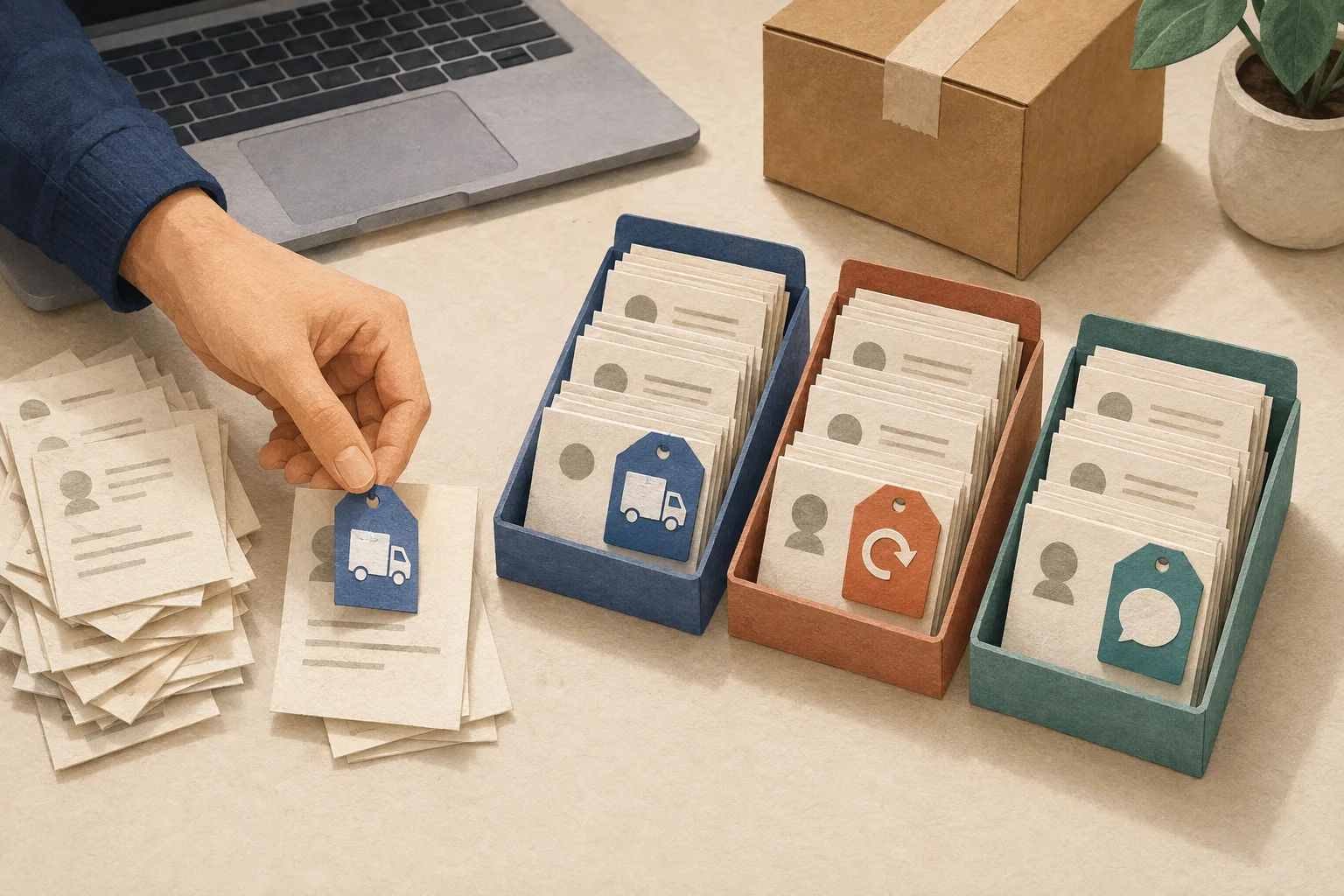
You know someone asked about a shipment. Finding that message among returns, product questions and follow-ups is another matter. Before you can help the customer, you have to find the conversation.
Gorgias lets you label tickets with tags, use rules to help apply them, and create views that bring the right conversations together. A useful starting point is three categories: delivery, returns and product questions.
This guide helps you build a small workflow for finding delivery inquiries. It's based on official documentation checked on September 8, 2026. The store, messages and classification choices below are fictional teaching examples; we haven't tested this workflow in a live store or measured its results. The Japanese and English editions use the same examples and setup.
What do tags, rules and views do?
In Gorgias, a customer conversation is a ticket. Here's how we suggest organizing those tickets.
- Label it with a tag. Mark the conversation as a delivery question.
- Let a rule help. Apply the same label when a ticket meets your conditions.
- Find it in a view. Open a list such as “Open delivery questions.”
- Have a person follow up. Read the request, check the details and reply.
For example, the person packing orders might want to check delivery questions first each morning. Start by deciding who needs to see which tickets, and what they'll do next. That makes it easier to choose useful labels.
If you're considering Gorgias, ask to see this kind of team workflow in a demo.
Start with three tags
Imagine a three-person store selling bags and home accessories. We'll use short English tag names so teammates working in either language can share the same labels. These are our suggestions, not required Gorgias names.
| Tag | Use it for | A boundary to agree on |
|---|---|---|
| delivery | Dispatch dates, tracking and missing packages | Sending a return back belongs under returns |
| returns | Requests to return or exchange an item | Mentioning a return doesn't necessarily mean requesting one |
| product | Size, material and care questions | Separate questions about using an item from requests to return it |
Check your existing tags first. If you already use “shipping,” adding “delivery” for the same job could split otherwise similar tickets between two labels.
Create the names in tag management, then add descriptions and colors if useful. Make the names clear enough to understand without relying on color. Creating and editing tags
The newer navigation guide places Fields and tags under Workflows. The individual tag article still refers to “Settings → Productivity.” If your screen differs, look for tag management and check your permissions. Current workspace guide
Check who can create and apply tags
Owners, Admins and Leads can manage tags and rules. Lite and Basic users can apply existing tags; Observers can't. Owners, Admins and Leads manage shared views, while every role can create private views. Gorgias user permissions
Choose one person to maintain the setup while everyone practices using the same labels. That gives the team a clear place to bring questions about classification.
Sort 10 tickets by hand before automating
Try a few short messages first. You can add tags at the top of a ticket, and a conversation can have more than one. How to apply tags
| Example | Customer message | Suggested tag |
|---|---|---|
| 1 | When will the bag I ordered ship? | delivery |
| 2 | Could you send me the tracking number again? | delivery |
| 3 | Tracking says delivered, but I can't find the package. | delivery |
| 4 | The size isn't right. I'd like to return it. | returns |
| 5 | Can I exchange this for another color? | returns |
| 6 | Will a 13-inch laptop fit in this bag? | product |
| 7 | Can I machine-wash the cover? | product |
| 8 | I don't need a return. I just need the care instructions. | product; not a return request |
| 9 | When will last week's order arrive? I'd also like to know the material of another bag I'm considering. | delivery and product |
| 10 | Could someone get back to me about my earlier question? | Read the conversation history first |
Pay attention to examples 8 and 10. A keyword isn't the whole request, and some messages need more context before you can classify them.
If two teammates choose different labels, agree on a one-sentence definition before adding more tags. For returns, that might be “The customer is asking to return or exchange an item.” That gives you a useful way to discuss example 8.
Make your first rule add a delivery tag
Rules cover all Helpdesk plans and can affect all connected integrations. Limit their scope. Rule availability and scope
Start small: add delivery to new emails whose subject contains “order status.” Keep this first rule focused on labeling, so you can review its choices before adding actions such as replying or closing tickets.
| Part | Example setting | Meaning |
|---|---|---|
| WHEN | Ticket created | A new conversation arrives |
| IF | Ticket channel is email | It came through email |
| AND | Message from agent is false | Exclude tickets started by your team |
| AND | Ticket subject contains order status | The subject includes that phrase |
| THEN | Add tags → delivery | Add the delivery label |
See the rule glossary for these fields. Create a custom rule in Workflows → Tools → Rules; add an Integration condition if you have multiple inboxes. Current Workflows guide · Rule creation instructions
We suggest two independent versions: “order status” for English inquiries and “配送状況” (delivery status) for Japanese inquiries. Both add delivery and use the same other conditions. Create separate rules if your store handles both languages. The Japanese edition leads with the Japanese version.
An email titled “Can you help?” won't match this example just because its body asks about delivery. Begin with a narrow match, review what it misses, then decide whether to expand it.
Add tags and Reset Tag do different things
Add tags keeps the existing labels; Reset Tag removes all previous tags. If a ticket already carries a VIP label, adding a delivery category shouldn't require losing that information. Add versus Reset
Use Add tags for this guide's example. If the topic changes over time, agree separately on which labels should describe the current request and which should remain as history.
If manual sorting is becoming a burden, bring this outline to a demo. “Three of us share support, and we want to start with delivery questions” is a useful brief for the person showing you around.
GorgiasBring customer support into one shared workspaceBook a demoA free trial is availableAsk about the trial length and included features during your demoRequest a Gorgias demo
Watch the indentation when you add conditions
A nested condition runs only after its outer condition matches. Conditions that should be checked independently belong at the same level. Rules 101
Suppose you place a returns check inside a delivery check. A message about returns alone won't reach that inner check. It's like putting the returns drawer inside the delivery drawer when you meant to have two separate drawers.
For a first setup, separate short rules for delivery and returns can be easier to follow. AND needs all conditions; OR needs any. Combining both requires nested IF statements. Combining conditions
Include a message like example 8 in your checks. A keyword match doesn't establish what a customer wants. A returns tag alone shouldn't be your instruction to issue a refund or accept a return.
Build a view for open delivery questions
Once tickets have labels, give your team a useful list to open. Views collect matching tickets, and a ticket can appear in several views. How views work
In Inbox, use the plus icon beside Shared views, or Private views if you'd like to try it on your own first. Name it “Open delivery questions” and add these filters.
| Attribute | Condition |
|---|---|
| Status | is Open |
| Tags | contains all of → delivery |
Combine them with AND. For a separate “Not yet categorized” view, combine Open with Tags “does not contain any of” delivery, returns and product. Available filters
Checking only for empty tags would miss an uncategorized request that already has another label, such as VIP. Think about which specific labels should be missing.
Now decide who checks the list: perhaps the person packing orders in the morning and the support teammate in the afternoon. Labeling a ticket and showing it in a view doesn't, by itself, assign someone to answer it.
If it doesn't work, check these three things
- Was it a new ticket? The Ticket created trigger in this example is for the initial arrival. Classifying follow-up messages needs a different trigger. Trigger FAQ
- Does the subject contain the actual phrase? “delivery” and “order status” are different strings. Only the second matches this example.
- Does another rule change the tags afterward? Rules with the same trigger run in list order, top to bottom. Check the later actions too. Rule execution order
For the English rule, prepare subjects “order status,” “delivery” and “order update.” Write down the expected outcome first: only the first gets delivery. The Japanese counterpart uses “配送状況について” (about delivery status), “返品したいです” (I'd like to return an item), and “相談があります” (I have a question), again matching only the first. This helps you see what a subject-based rule catches and misses.
Once you start using it, review the first 10 tickets for missing labels, incorrect labels and places where teammates hesitate. Use that feedback to improve your setup. Ten tickets aren't enough to establish the product's overall classification accuracy.
Start by agreeing on the three names
Apply delivery, returns and product by hand, then build one delivery rule and one view. That gives your team a shared way to classify requests before you expand the setup.
For budgeting, read our Gorgias pricing guide. If you're deciding whether to tackle automated shopping assistance or your team's inbox first, see Zipchat vs. Gorgias.
For a demo, bring three typical inquiries with personal details removed. Ask to see where your team would find them after the tags are applied.
See whether Gorgias fits your businessBook a demoA free trial is availableAsk about the trial length and included features during your demoRequest a Gorgias demo
Share this article
Related articles

Zipchat vs Gorgias: Which Fits Your Support Setup?
Compare Zipchat and Gorgias for AI answers and team support. Understand their different billing units and what to test before choosing a tool.
Read article
How to Check the Quality of AI Customer Support Answers
Use a simple checklist to review AI support answers, spot incorrect promises, and check transfers to your team. Includes scoring examples for online stores.
Read article
Gorgias Pricing Explained: Helpdesk, AI Agent and Ticket Costs
See what Gorgias Starter includes, how tickets and AI usage affect your bill, and why legacy pricing differs. Build a clearer budget before choosing a plan.
Read article